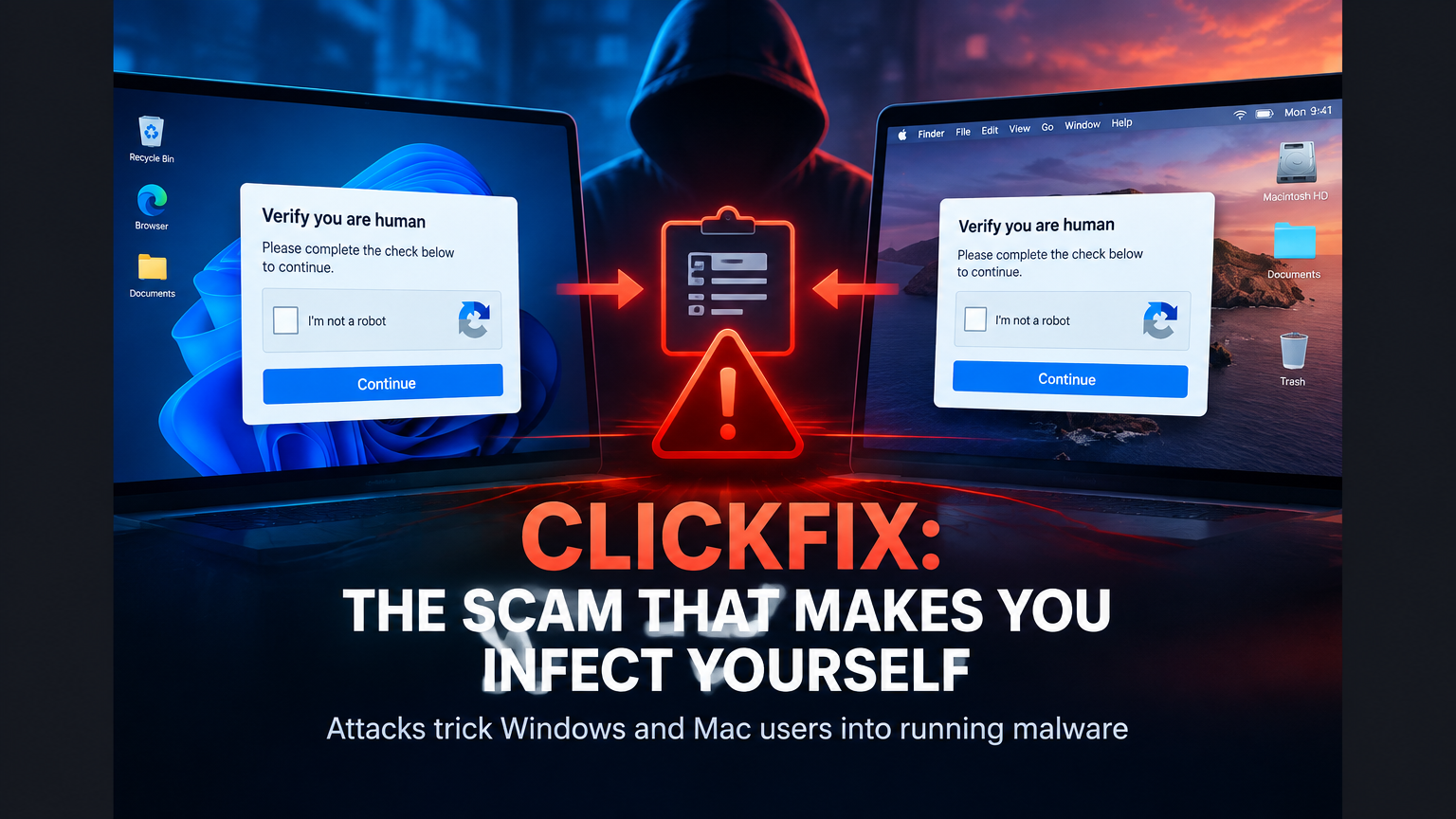
Imagine visiting a website to watch a video, solve a problem or confirm that you are not a robot.
A message appears that looks normal. It may be a CAPTCHA, a security check or an alert claiming that your browser has encountered an error.
The page then tells you to copy some text, open a system tool and paste it to complete the verification.
You follow the instructions.
A few seconds later, your data may be in the hands of criminals.
This is the basic idea behind ClickFix attacks, a social engineering technique that tricks Windows and macOS users into performing malicious actions on their own devices.
According to a recent TechCrunch report, the threat is growing and becoming more sophisticated. The problem is that the attack does not rely only on a technical vulnerability. It exploits something much harder to block: the victim’s trust.
What is a ClickFix attack?
ClickFix is a term used to describe a social engineering technique that presents users with a fake solution to a supposed problem.
The attack usually begins on a fake website or on a legitimate website that has been compromised. The page may imitate:
- a CAPTCHA;
- a login screen;
- a streaming platform;
- a browser warning;
- an error message;
- a software update;
- a technical support tool;
- an anti-fraud verification page.
Instead of asking users only to click a checkbox, the website instructs them to copy and execute content on their own computers.
The victim believes they are fixing an error or completing a verification. In reality, they are helping the attacker start the infection.
This represents an important change in the way online attacks are delivered. The criminal does not necessarily need to convince the victim to download an obviously suspicious file. The attacker only needs to create a convincing situation and guide the person toward a dangerous action.
Why is ClickFix so dangerous?
Many security tools can detect malicious files, suspicious links and abnormal behavior.
ClickFix attempts to bypass part of those defenses by using the victim’s own actions as the entry point.
When a person manually executes something through a native system tool, the behavior may look legitimate. After all, the user opened the tool and authorized the action.
The TechCrunch report explained that these attacks may use Command Prompt, PowerShell or the macOS Terminal. These tools are normal parts of the operating system and are regularly used by technology professionals.
The danger appears when ordinary users are convinced to use them without understanding what is being executed.
How does the scam usually work?
The sequence can vary, but the pattern often follows these stages:
1. The victim reaches a fake page
The user may arrive through:
- a malicious advertisement;
- a social media post;
- a phishing message;
- a manipulated search result;
- a compromised legitimate website;
- a fake support page;
- an advertisement imitating a known brand.
In a recent case reported by TechCrunch, criminals used fake advertisements connected to an entertainment platform to send users to a page that imitated a legitimate service.
2. The page displays a fake verification
The screen may show a box saying “I am not a robot” or a message claiming that the browser needs to be verified.
The interface is designed to create urgency and familiarity.
The user recognizes a layout similar to many pages they have seen before and becomes less cautious.
3. The website requests an unusual action
After the first click, the page provides instructions for copying content and pasting it into a computer tool.
This is one of the most important warning signs.
A legitimate CAPTCHA does not need you to open Terminal, PowerShell or Command Prompt to prove that you are human.
4. The victim executes the action
When the person follows the instructions and confirms the action, malicious software may be installed or a path may be opened for further criminal activity.
The attacker may then try to obtain:
- browser passwords;
- session cookies;
- connected accounts;
- cryptocurrency wallets;
- documents;
- access credentials;
- corporate information.
Mac users are also being targeted
For years, some people believed that using a Mac provided enough protection against this type of threat.
That assumption is dangerous.
Microsoft has documented ClickFix campaigns affecting both Windows and macOS users. In attacks against Apple computers, criminals may use fake verification pages, supposed maintenance tools and messages that instruct users to open Terminal.
The goal may be to install information stealers capable of accessing passwords, cookies, cryptocurrency wallets and other data.
The operating system does not eliminate the risk. The deception method can be adapted to different platforms.
The threat is less about the type of computer and more about the attacker’s ability to convince someone to perform a dangerous action.
The scam exploits user trust
This is the most important part of understanding ClickFix.
The attack does not rely only on technology. It relies on persuasion.
The page may use messages such as:
- “Verification required”;
- “Your browser needs to be updated”;
- “Confirm that you are human”;
- “Fix the error to continue”;
- “Follow the steps below to unlock the content.”
These messages create pressure and make the victim believe that immediate action is necessary.
This type of manipulation is known as social engineering. Instead of attacking the system directly, the criminal influences a person’s behavior.
That is why even experienced users can be fooled, especially when they are in a hurry, trying to solve a problem or accessing a familiar service.
How is ClickFix different from a normal download?
In a traditional scam, the victim may receive an executable file, an attachment or a link to download a program.
With ClickFix, the person may not realize that anything is being installed.
They believe they are:
- verifying the browser;
- fixing a problem;
- unlocking access;
- updating a component;
- following technical support instructions.
The user performs the critical step.
This approach can make detection more difficult because the action appears to have been initiated by an authorized person through a legitimate system tool.
The technique can also be combined with malicious advertising, phishing, cloned pages and compromised websites.
What data are criminals looking for?
ClickFix attacks can deliver different types of malware. Common targets include information stealers, programs designed to collect sensitive data.
They may search for:
- saved passwords;
- autofill information;
- authentication cookies;
- active sessions;
- browser data;
- cryptocurrency wallets;
- documents;
- messaging application data;
- corporate information.
The impact can be even greater when the victim uses the computer for work.
If the device is connected to business accounts, management systems, advertising platforms or financial services, one infection can affect an entire organization.
How can you identify a possible ClickFix attack?
Several signs should immediately raise suspicion.
A CAPTCHA that asks you to open Terminal
This is one of the clearest warning signs. Legitimate verification systems do not normally require ordinary users to execute unknown commands.
A page that asks you to copy and paste unfamiliar content
Never run something on your computer just because a website instructs you to. If you do not understand it, do not paste it.
An error message with highly specific instructions
Fake alerts often use technical language to appear authoritative.
An advertisement that leads to an unusual page
Even if the advertisement appears to belong to a known brand, the website address may be fake.
A request marked as urgent
Messages that pressure users to act immediately are common in digital scams.
An imperfect-looking page
Spelling errors, unusual addresses, distorted logos and misaligned elements can indicate a fake website.
What should you do if you already executed something suspicious?
If you followed instructions from an unknown page, do not ignore the incident.
Recommended steps include:
- Disconnect the computer from the internet if you suspect an active infection.
- Do not continue accessing important accounts from that device.
- Use another trusted device to change passwords.
- Enable multi-factor authentication.
- Sign out of active sessions on important services.
- Notify your company’s technology or security team.
- Run a scan with trusted security tools.
- Monitor banking accounts and digital wallets for suspicious activity.
- Seek professional support before deleting important evidence.
If the computer is used in a business, follow a formal incident response process whenever possible.
Rapid Genius provides digital solutions, automation and data science services that can help companies organize their technology processes and reduce operational risks.
How can your company protect itself against ClickFix?
Prevention must combine technology and training.
Train employees
Staff should know that CAPTCHA checks, updates and technical support pages normally do not require users to execute unknown commands.
Restrict access to sensitive tools
Companies can apply policies to restrict or monitor administrative tools, especially on computers used by employees who do not need them.
Use multi-factor authentication
Even if a password is stolen, multi-factor authentication can make unauthorized access more difficult.
Keep systems updated
Updates fix vulnerabilities and reduce exposure to known threats.
Monitor unusual behavior
Unexpected access to administrative tools, suspicious connections and sudden changes may indicate a compromise.
Maintain protected backups
Secure backups help reduce the impact of serious incidents.
Create a support channel
If employees have a quick way to verify whether an alert is legitimate, they are less likely to follow dangerous instructions.
Companies can also invest in AI-powered automation and data science services to improve alerts, organize records and speed up responses to suspicious behavior.
ClickFix shows that security depends on people
It is common to think that cybersecurity is only about installing antivirus software and keeping systems updated.
Those measures are important, but they do not solve everything.
A user can have an updated computer and still be fooled by a fake page.
That is why security must include:
- technology;
- internal policies;
- training;
- monitoring;
- access control;
- incident response;
- prevention culture.
The greatest vulnerability may appear when someone believes they are doing the right thing.
The threat will continue to evolve
ClickFix attacks initially used relatively simple lures, but they have evolved to include more convincing pages, fake advertisements, familiar brands and instructions adapted to different operating systems.
Criminals can also modify the scam based on the target audience.
A Windows user may see different instructions from someone using macOS. The objective, however, remains similar: convince the victim to perform an action that benefits the attacker.
This means the defense must evolve as well.
Blocking one address is not enough. People must be prepared to recognize the manipulation pattern.
Conclusion: the most dangerous scam may be the one that looks like help
ClickFix is growing because it turns a dangerous action into something that looks like a solution.
The victim does not believe they are installing malware. They think they are confirming their identity, fixing an error or unlocking a page.
That is the strength of the scam.
The attack does not need to look threatening. It needs to look useful.
Remember this rule:
An ordinary webpage should never ask you to open Terminal, PowerShell or Command Prompt to prove that you are human.
If a website asks you to copy and run something on your computer, stop immediately and verify the situation through another channel.
Security begins before the click, before the paste and before the confirmation.
For companies, protecting systems also means training people, organizing processes and monitoring suspicious activity. A professional website, properly configured infrastructure and secure digital processes are part of protecting any business connected to the internet.
ClickFix leaves a simple lesson:
when a webpage tells you to run something you do not understand, the best fix may be closing the page.