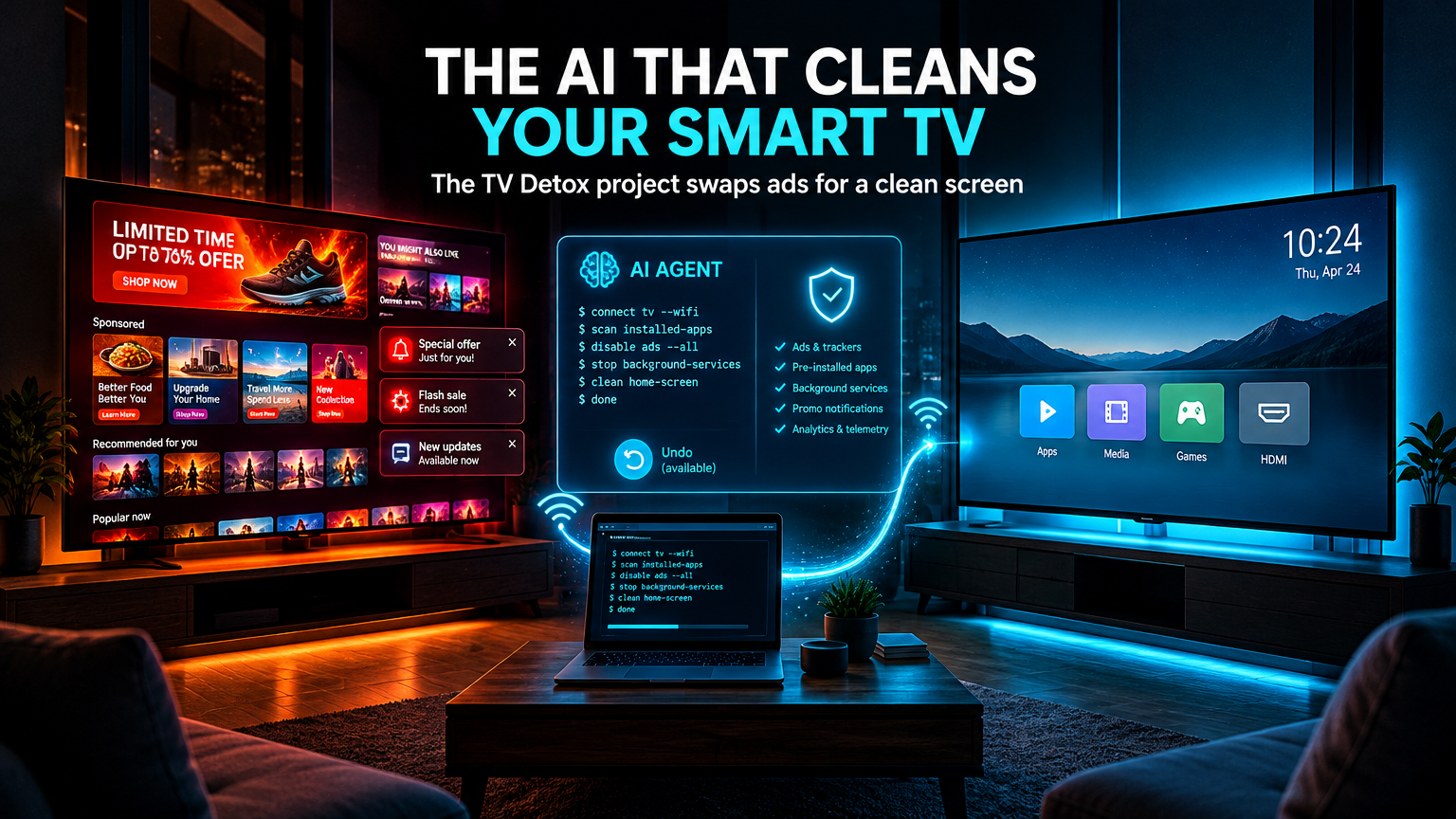
The television you bought is no longer yours.
You paid for it, but the home screen belongs to whoever sells advertising. The sponsored rows, the promoted recommendations, the background services you never asked for: all of it takes up memory, time and attention on a device that should simply show you what you want to watch.
In Portugal, tech media gave prominence on 24 October 2026 to a project proposing a practical answer to that.
It is called TV Detox, created by developer Ansub Khan and published free on GitHub under the MIT licence. It is not an app installed from the television’s store. It is a set of instructions plus a minimalist home screen, executed by an AI agent.
The agent is Claude Code, from Anthropic, or alternatively OpenAI’s Codex.
The idea is simple and powerful: instead of the user navigating technical menus and deciding manually what to disable, that task goes to an AI agent that connects to the TV and does the work, always asking for confirmation at each step.
How it works in practice
The process requires some technical knowledge and is not instant.
The first step happens on the television: enabling developer mode, going into Settings, then the device properties, and pressing the OK button seven times on “Build version”. Then switching on USB or wireless debugging.
The second step happens on the computer: opening Claude Code or Codex, making sure it is on the same Wi-Fi network as the TV, and pasting the text the project provides.
That is when the agent connects to the television through ADB, the Android Debug Bridge, Android’s debugging tool.
From there, the flow is always the same: the agent lists installed apps, proposes which can be disabled, and asks for confirmation before every change. The user just has to approve on the remote.
One important detail, and one the creators stress: apps are disabled, never deleted. And the project includes a rollback process, with a dedicated script and a list of everything that was changed.
The project’s prompt also asks for a copy of the package list before starting, and for essential components to be preserved: Google services and Play Store, system settings, keyboard, Bluetooth and HDMI inputs.
What changes on screen
The second component of TV Detox is a new home screen.
It is not one of those heavy launchers with themes and widgets. It is an app written in plain Java, no libraries, no Gradle, using about 30 MB of RAM.
What it shows: the apps you chose, the HDMI inputs and a clock. Nothing else.
No ads, no promoted content, no suggestion rows. It is deliberately the opposite of what the industry has been building.
Which TVs it works on
The compatibility list is specific, and it deserves precision because disappointment is easy here.
It works on Android TV 9, 11 and 12, and on Google TV 14. In practice, that covers most recent TVs from Sony, TCL, Hisense, Philips and Xiaomi, plus Chromecast with Google TV and Nvidia Shield.
It does not work on Roku, Samsung with Tizen or LG with webOS, because none of them runs Android. No Android means no ADB, and no ADB means nothing for the agent to connect to.
It works partially on Fire TV: the cleanup works because the underlying system is Android, but Amazon blocks replacing the home screen, so you keep Amazon’s screen.
The caveats the project itself makes
This is where enthusiastic coverage usually fails. TV Detox carries explicit warnings, and ignoring them would be irresponsible.
The first: it is at your own risk. The project disables system apps, and the creators acknowledge that some TVs got stuck at the logo or kept restarting, and that the AI can make mistakes.
The second: changes have been tested automatically on emulators. There are reports of tests on real TVs, including a TCL Smart TV Pro with Google TV 14 and a OnePlus TV E00, with free memory gains in the range of 660 MB to about 1 GB. But the project itself states that every change is validated on emulators, not on real hardware from every brand.
The third, and probably the most relevant for anyone with a new television: touching the factory software voids the warranty.
The fourth, and the most subtle: on Google TV sets and Chromecast, disabling Google’s home screen left at least one device stuck restarting, and the only fix was a factory reset. Since version 1.4.1, the installer leaves that screen on by default.
The fifth: on OLED TVs, keep the screensaver active. A static image for hours can burn into the panel.
And the sixth, which almost nobody mentions: turn debugging off when you are done. While USB, network or wireless debugging is active, other devices on the same network can ask to control the TV. It is an open door that should be closed.
The bigger movement: a wave of frustration
TV Detox did not appear alone. It is the latest piece of a phenomenon that exploded in October 2026.
It all started with social media posts: first a user who asked Claude to “hack” their TV, then the case that went viral on 17 October, when a developer gave Claude Code only the model number of his parents’ television. The agent found the device on Wi-Fi, disabled 25 Xiaomi packages and wrote a new home screen, which the author described as looking like Apple TV’s.
From that episode came CleanYourTV, an open-source project that already gathers tested configurations for more than a hundred TV models across several dozen brands.
Alongside it circulates DumbTV, tested on a Fire TV Edition set and on Sony, TCL, Philips, Hisense, Xiaomi and Shield hardware, plus forks that bring the same idea to non-Android systems.
TechCrunch reported the phenomenon on 19 October 2026. Since then, tech media in several countries, including Portugal, have widened the conversation.
Why this matters: the attention economy on the last screen in the house
Here is the connection to the ground of this blog.
The smart TV is the purest example of a business model that turned a purchased product into an advertising platform. The consumer pays for the hardware and is then monetized again, through advertising, sponsored recommendations and data collection.
By 2026, that model has a technical name in privacy terms: ACR, Automatic Content Recognition. The television identifies what you are watching, even through external inputs, and uses that information for targeted advertising.
TV Detox attacks precisely that layer. Disabling telemetry services and promotional apps reduces tracking, frees memory and returns the device to the function it was bought for.
Three lessons go beyond the television itself.
1. The AI agent as a maintenance tool
For two years, AI agents were discussed for creating content and writing code. Here, the agent does something else: infrastructure maintenance, interpreting a device’s state and proposing changes with human confirmation.
That is one of the most promising and least hyped uses. It is not replacing people. It is doing the technical work nobody has the patience or the skill to do.
2. Step-by-step confirmation is the right model
Notice the design: the agent proposes, the user approves, the agent executes, everything is logged, and there is an undo button.
It is exactly the pattern we defended in previous articles about AI agents acting in the real world. Automation that executes without review is not productivity, it is risk. TV Detox, written by an independent developer, applies that principle more rigorously than many commercial products.
3. The tension between convenience and control
Buying a smart TV means accepting a package: good hardware, software controlled by the manufacturer. The project does not solve the underlying problem, it only works around it, at a cost: it voids the warranty, requires technical knowledge and depends on a project that may stop being maintained.
For businesses, the parallel is direct. Tools that come “ready-made” bring layers nobody chose: telemetry, forced integrations, dependencies nobody audits. Knowing what runs inside your systems is a management competence, not a technical detail.
And the foundation of it all remains the same: records, visibility and the ability to roll back. That is the role of a well-built digital structure and of data science applied to business: knowing what exists, what is active and what can be switched off without breaking anything.
intelligent automation follows exactly this logic: eliminating repetitive work, but with confirmation, logging and the possibility of undoing it.
What to do if you want to try it
If your TV is Android TV or Google TV and is already a few years old, the risk is lower: the warranty has probably expired and the performance gain is visible.
If you have a new television, the honest recommendation is to wait. The project is promising, but reports of devices stuck at the logo exist and are documented.
In either case, three precautions before starting: copy the package list, read the repository’s warnings, and turn debugging off at the end.
Conclusion: giving the screen back its original function
TV Detox, created by Ansub Khan and published on GitHub on 18 October 2026, proposes a simple idea with careful execution: using Claude Code or Codex as an agent that connects to the television over ADB, disables apps, advertising and background services with confirmation at every step, and installs a minimalist home screen of about 30 MB.
It works on Android TV 9, 11 and 12 and Google TV 14, does not work on Roku, Samsung or LG, and has limitations on Fire TV. It was tested on emulators, has reports of success on real TVs and also cases of blocked devices. It voids the warranty.
What the project reveals is bigger than itself: a growing number of people no longer accept that the device they bought keeps working for someone else.
The question that remains:
If you audited today everything running in the background on your home or company devices, how much would you find you never authorised?
The answer to that question is the first step of any technology strategy worth taking seriously.